Warehouse Automation Integration Basics With Equipment, Software, and Workflow Management
Warehouse automation integration connects physical handling equipment, software platforms, data systems, and workplace processes into one coordinated operating environment.
Instead of managing conveyors, storage systems, scanners, robots, inventory records, and shipping activities separately, an integrated warehouse automation system allows these elements to exchange information and coordinate tasks.
Warehouse automation developed from the need to manage growing quantities of inventory while maintaining organized material movement. Early systems included simple conveyors and mechanical lifting equipment. Modern facilities can combine automated storage and retrieval systems, autonomous mobile robots, robotic picking systems, conveyor networks, barcode scanners, sensors, warehouse management software, and warehouse control platforms.
The central idea is not simply to automate individual tasks. Integration means connecting tasks so that information and physical movement follow a defined workflow. For example, when an inventory order is created, warehouse software can communicate the required information to an automated storage system, which retrieves an item and sends it toward the appropriate packing or dispatch area.
Main Elements of Warehouse Automation
A warehouse automation environment generally contains four connected areas: physical equipment, control software, inventory information, and workflow rules.
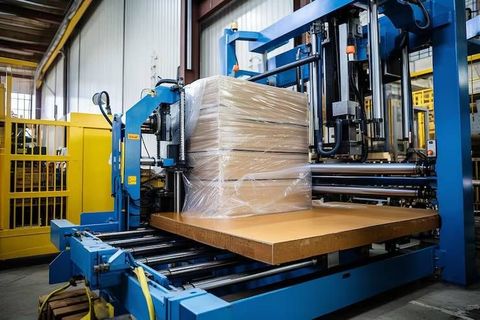
Physical equipment can include conveyors, sorters, pallet handling systems, robotic arms, automated storage systems, mobile robots, lifts, scanners, and sensors. Software can include warehouse management systems, warehouse control systems, warehouse execution platforms, inventory databases, and enterprise resource planning systems.
Data provides the connection between these elements. Product identifiers, locations, quantities, order information, equipment status, and movement instructions can be exchanged between systems according to defined communication methods.
How Integration Works
A simplified automated warehouse workflow may begin when inventory arrives. Scanners or other identification systems record the incoming goods, while warehouse software assigns storage information.
The warehouse control layer can then communicate with material-handling equipment. A conveyor, automated storage system, or mobile robot can receive instructions for moving the inventory to an assigned location.
When an order is created, the process works in the opposite direction. The software identifies the required inventory, equipment retrieves or transports it, and the system updates the inventory record as the item progresses through picking, packing, and dispatch.
Importance
Warehouse automation integration matters because modern warehouses often contain many interconnected activities. If equipment and software operate independently, information may need to be transferred manually between systems, increasing the possibility of delays, duplicated records, or workflow interruptions.
Integration creates a shared operating structure in which inventory information and equipment activity can be coordinated. This can be particularly important for facilities handling many product categories, frequent orders, multiple storage zones, or several transportation methods.
Who Uses Warehouse Automation?
Warehouse automation integration can be relevant to manufacturers, distributors, retailers, logistics organizations, food and beverage facilities, pharmaceutical warehouses, spare-parts operations, and other inventory-intensive environments.
Different facilities have different automation requirements. A small warehouse may use barcode scanners and conveyor equipment, while a larger facility may combine robotic picking, automated storage, sorting equipment, and multiple software platforms.
Workflow Management
Workflow management defines how goods move through the warehouse. Common stages include:
Receiving and identification
Inspection and recording
Put-away
Storage
Inventory tracking
Order allocation
Picking
Sorting
Packing
Dispatch
Returns processing
Automation software can assign tasks based on inventory location, order priority, equipment availability, and predefined operating rules.
Workflow design also needs to consider exceptions. Damaged products, missing inventory, scanner errors, equipment faults, and unexpected order changes can interrupt an automated sequence. Systems therefore need procedures for identifying and handling exceptions.
Inventory Accuracy
Inventory accuracy depends on consistent identification and recording. Barcode scanners, radio-frequency identification systems, cameras, weight sensors, and other technologies can provide information about products and their locations.
An integrated system can update inventory records when goods are received, moved, picked, packed, or dispatched. The reliability of these records depends on equipment configuration, software logic, data quality, and operational procedures.
Recent Updates
From 2024 through 2026, warehouse automation has continued moving toward connected robotics, artificial intelligence, machine vision, cloud-based software, real-time monitoring, and flexible material-handling systems. The general trend is toward combining automation technologies rather than deploying isolated machines.
Robotics and Mobile Automation
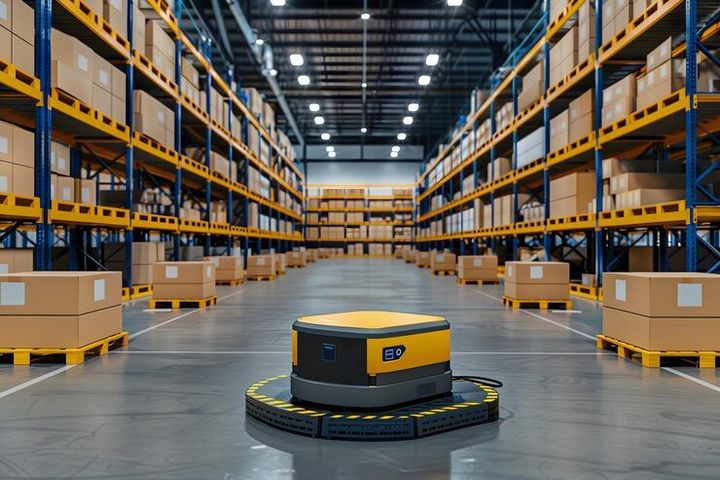
Autonomous mobile robots can move inventory, containers, carts, or shelves through warehouse environments. Robotic arms can perform selected picking, sorting, palletizing, and depalletizing tasks.
These systems can communicate with warehouse software to receive movement instructions. Their integration requires accurate maps, inventory information, traffic rules, charging arrangements, and procedures for handling unexpected obstacles.
Artificial Intelligence and Machine Vision
Artificial intelligence is increasingly being explored for warehouse applications such as demand forecasting, inventory analysis, route planning, image recognition, and operational decision support.
Machine vision can identify products, read labels, determine package orientation, and support inspection activities. Vision systems may work alongside barcode or RFID technologies rather than replacing every identification method.
Cloud and Connected Platforms
Cloud-connected warehouse platforms can allow information from multiple systems to be stored and analyzed through shared software environments. This can make it easier to monitor inventory, equipment activity, and workflow information across multiple facilities when the architecture supports such connections.
Connectivity also creates additional requirements for cybersecurity, user access, data protection, system backups, and network reliability.
Digital Twins and Simulation
Digital simulation tools can model warehouse layouts, equipment movement, storage capacity, and workflow sequences before physical changes are implemented. Digital twin concepts can extend this approach by connecting a virtual representation with information from an operating facility.
Simulation can help identify congestion points, equipment conflicts, travel distances, and potential capacity limitations during planning.
Energy and Fleet Management
Automated warehouses increasingly monitor energy consumption from conveyors, robots, refrigeration systems, charging stations, lighting, and other equipment.
For mobile robots and automated vehicles, fleet-management software can coordinate charging, task assignment, traffic movement, and equipment availability. These systems can be integrated with warehouse management platforms when compatible interfaces are available.
Laws or Policies
Warehouse automation integration is influenced by workplace safety, machinery protection, electrical requirements, data protection, building regulations, fire safety, and industry-specific rules. The exact requirements depend on the country, facility type, stored materials, and equipment configuration.
Machinery and Workplace Safety
Automated warehouses can contain conveyors, robotic arms, lifts, automated storage equipment, mobile robots, and other moving machinery. Safety systems may include physical guarding, emergency stops, access controls, safety scanners, warning systems, and controlled operating zones.
Risk assessments generally need to consider normal operation as well as maintenance, inspection, cleaning, equipment recovery, and unexpected system conditions.
Data and Cybersecurity
Warehouse automation relies heavily on digital information. Inventory records, user accounts, equipment data, network communications, and business information may need protection against unauthorized access.
Organizations may use authentication controls, network segmentation, access permissions, logging, backups, software updates, and cybersecurity monitoring as part of their technology environment.
Fire and Building Requirements
Warehouse layouts can be influenced by fire protection, emergency exits, storage height, electrical installation requirements, ventilation, and building capacity. Automated storage systems may require additional planning because equipment can occupy substantial vertical and horizontal space.
Facilities handling specialized materials may also have additional environmental or safety requirements.
Tools and Resources
Warehouse automation planning uses a combination of software, engineering documents, data-analysis tools, and operational templates. Warehouse layout software can help visualize storage locations, conveyors, robots, packing areas, loading zones, and pedestrian pathways.
Warehouse management systems can coordinate inventory information and order workflows. Warehouse control systems can manage communication between software and automated equipment, while warehouse execution platforms may coordinate multiple activities across the facility.
Useful planning resources include:
Warehouse layout software
Warehouse management systems
Warehouse control systems
Warehouse execution platforms
Inventory tracking software
Barcode and RFID systems
Robot fleet-management platforms
Equipment simulation software
Capacity planning worksheets
Workflow mapping templates
Maintenance management platforms
Data dashboards
A simplified view of common automation layers is shown below:
| Automation Layer | Main Function | Typical Technology |
|---|---|---|
| Physical Equipment | Moves or handles goods | Conveyors, robots, lifts |
| Identification | Recognizes inventory | Barcode, RFID, vision |
| Control | Coordinates equipment | PLCs, controllers |
| Warehouse Control | Manages equipment flow | WCS platforms |
| Warehouse Management | Manages inventory and orders | WMS platforms |
| Enterprise Systems | Connects wider business data | ERP platforms |
| Analytics | Examines performance information | Dashboards, data tools |
Integration Planning
Integration planning begins with identifying the systems that need to communicate. Product identifiers, inventory locations, order information, equipment status, and task instructions should have clearly defined data structures.
Interface methods can include application programming interfaces, database connections, industrial communication protocols, message queues, and other integration technologies. The appropriate method depends on the systems being connected.
Testing is another important part of integration. Individual equipment tests can be followed by system-level testing, workflow testing, exception testing, and operational validation before a fully integrated environment is placed into regular use.
FAQs
What is warehouse automation integration?
Warehouse automation integration connects physical equipment, warehouse software, inventory systems, data platforms, and workflow processes so they can exchange information and coordinate material movement.
What equipment is used in warehouse automation integration?
Common equipment includes conveyors, automated storage and retrieval systems, robotic arms, autonomous mobile robots, sorters, pallet handling systems, scanners, RFID readers, sensors, and automated lifts.
How does warehouse management software work with automation?
Warehouse management software manages inventory, orders, locations, and workflow information. It can communicate with warehouse control or execution systems, which then coordinate automated equipment according to defined tasks.
What are the benefits of automated warehouse workflow management?
Automated workflow management can coordinate receiving, storage, picking, sorting, packing, and dispatch activities. It can also provide centralized information about inventory and equipment activity.
What should be considered when integrating warehouse automation systems?
Important considerations include facility layout, equipment compatibility, software interfaces, inventory data, network infrastructure, cybersecurity, safety systems, maintenance access, exception handling, scalability, and applicable regulations.
Conclusion
Warehouse automation integration combines equipment, software, data, and workflow management into a coordinated material-handling environment. Modern systems increasingly use robotics, machine vision, artificial intelligence, connected platforms, simulation tools, and real-time monitoring. Successful integration depends on compatible equipment, reliable data, clear workflows, appropriate safety controls, and suitable digital infrastructure. The final architecture varies according to warehouse size, inventory characteristics, operating processes, and automation requirements.